
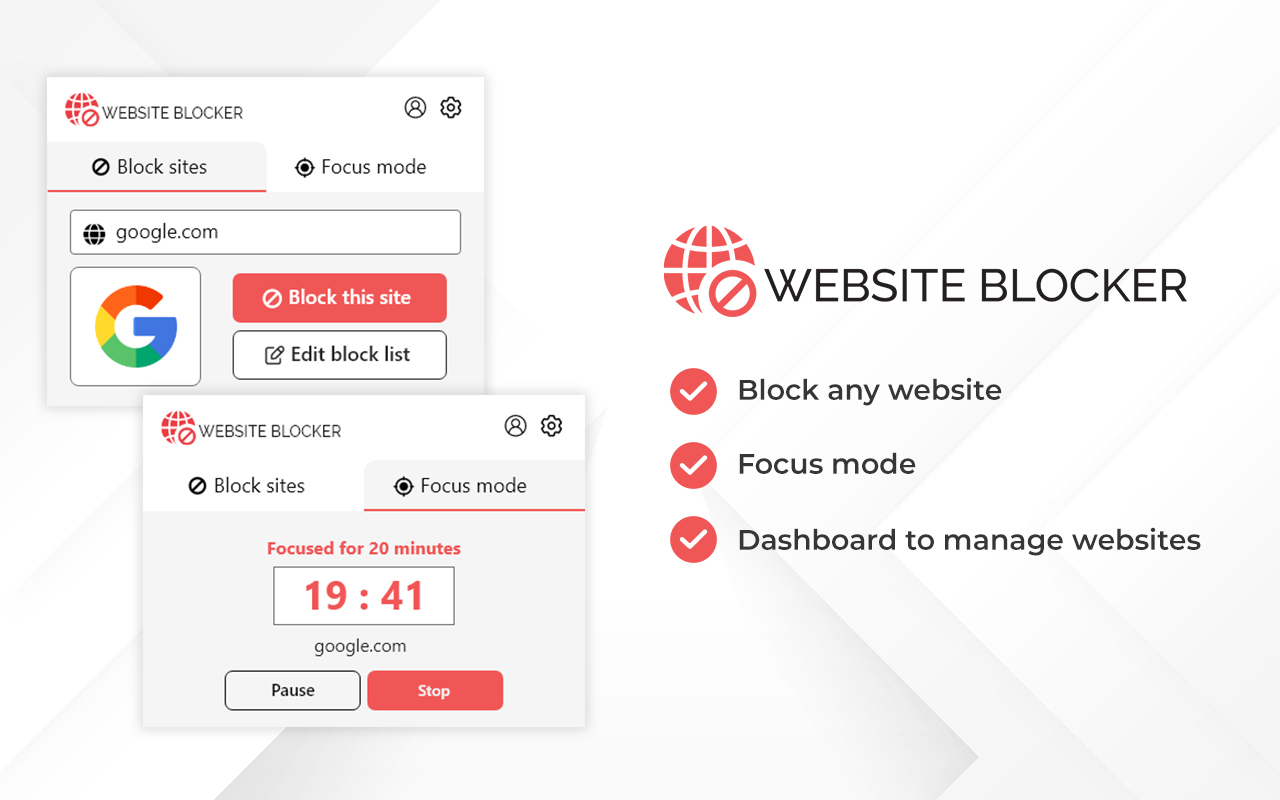
About this extension
Website blocker Chrome extension enables you to block any particular website that you do not want to access from your device and it also lets you block any website for a set time period.
Key Features
Why You Should Install Website Blocker :
Increases Productivity:
This extension helps you stay focused on your work by limiting your time on time-wasting sites. If you use the Focus mode feature, the sites you block will not be accessible before the set time limit has expired. That is why it is a useful extension to increase your productivity. This feature can also be used by students during their examinations.Helps To Keep Your Focus on Your Work:
Whether you are a student or a working professional, we all need to complete our tasks on a fixed schedule. But what could be a bigger distraction than the internet itself? The internet can waste our precious time, even when we are not aware that we are spending time on the internet. That is why it is important to have a tool that stops us from accessing online websites unknowingly. Website blocker extension is a great way of doing that and helps you to stay focused on your work.Prevents You To Visit Spammy Websites Again:-
The Internet is full of spammy websites, so we need to stay away from these websites. So next, whenever you come across any such website, block that website with this extension and save your time by visiting the same website again.Details
- Install the extension from the download button or get it from the Chrome web store.
- Visit any website that you want to block.
- Enable the extension by clicking on the icon, or you can also pin the extension for quick access.
- Once you enable the extension, you will see two options at the top – Block this site and Focus Mode.
- If you want to block the current website, then click on Block this site.
- Click on Focus mode if you only want to block websites for a certain period of time.
- You can modify the Blocked website list by clicking on the Edit block list.
Frequently Asked Questions
What is Website Blocker Chrome Extension?
Yes definitely. Website blocker is completely safe & secure to use and download on your laptop/desktop PC.
How to avoid Internet distractions during online classes?
We access Instagram, Facebook, YouTube & other websites while attending online classes. If you are concerned about your time & want to stay focused on your studies, install a website blocker extension to block websites permanently or for a fixed time.
Can I download Website Blocker for Android or iOS Platforms?
Website blocker Chrome extension lets you block any website on the internet with just one click. You can also block websites for a fixed period of time if you do not want to block it permanently.
Is the Website blocker extension safe to use?
No. Currently you can use website blocker as a Chrome extension only.